Key Takeaways:
- Small client calls and emails often go unlogged, quietly erasing 5–15% of billable time.
- Over months, these missed minutes add up to tens of thousands of dollars per attorney.
- Real-time logging or passive capture tools (timers, apps, AI) can reclaim this time before it slips away.
- “Deep dive” analysis of historical communications (a Historical Time Mining approach) can reveal large blocks of unbilled work – in one case over $2.3M.
- Automated tracking software minimizes human error and speeds billing. Firms using it report adding 3–4 extra billable hours per week per lawyer (around $100K+ per lawyer per year).
Introduction
Every minute of a lawyer’s work is potentially billable, yet much of it hides in unrecorded communications. Attorneys often take quick client calls or send brief emails during the day but don’t hit the timer. Over weeks and months, those micro-tasks pile up. One analysis found the average attorney logs only about three hours of billable time in an eight-hour day. In other words, roughly 60–70% of work time goes unbilled, leaving significant revenue on the table.
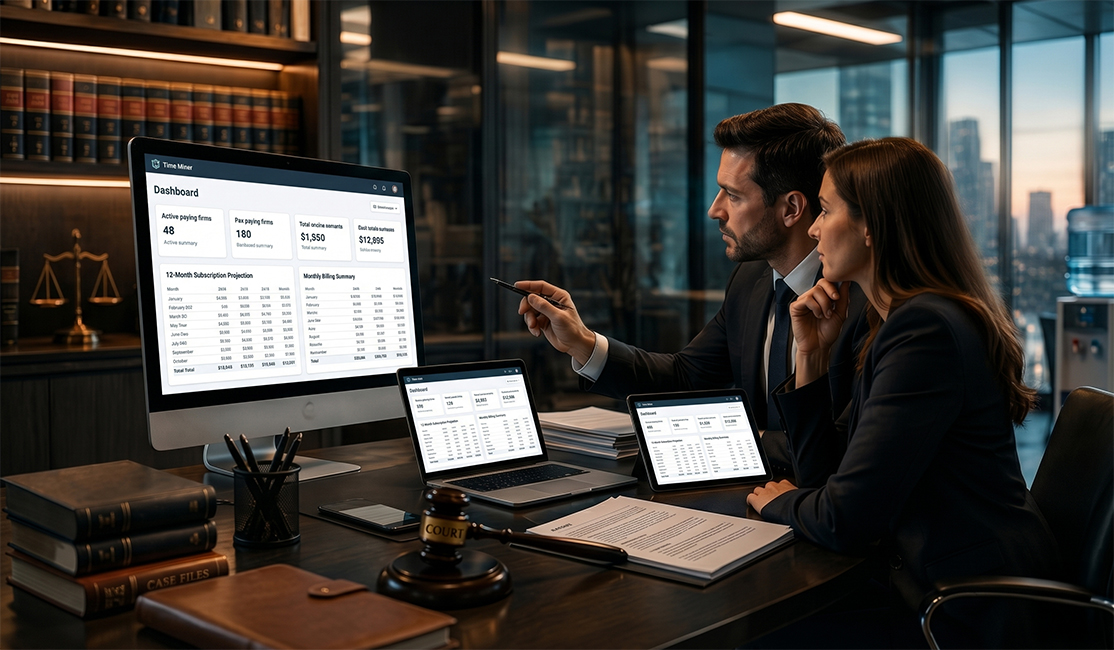
Figure: A judge’s gavel on a desk – in law firms, every minute of work should be treated as valuable inventory. Omitting quick client communications from time records quietly drains revenue.
Brief interactions – a five-minute strategy call, a dozen short emails, or a quick text – add value for clients but are easy for lawyers to skip logging. For example, regularly losing just 80 minutes of email/call time per week (common in many practices) can cost $16,000+ per year at moderate billing rates. Firms adopting alternative billing strategies (hourly, contingency, flat fee or even Value Billing models) still need accurate time data; every uncaptured minute of client work erodes profits.
This guide explores how deep analysis of communication data reveals lost billable hours. We cover why these gaps occur, how to prevent them, and how tools can automate capture. We’ll also examine Historical Time Mining – the practice of mining years of emails and call logs for unbilled activity – to show how even longstanding omissions can be recovered.
Why Calls and Emails Slip Through the Cracks
Lawyers juggle many demands, and short communications often slip through. It’s human nature: when a phone rings between tasks, most attorneys take the call but forget to track it as they jump back into work. Delay or neglect snowballs quickly. One industry study notes attorneys under-bill by 10–15% if they wait until end-of-day to record time, and up to 50% if they wait until week’s end. Simply put, “quick” doesn’t mean “free” – unlogged mini-tasks quietly bleed revenue.
- Short interactions add up: Brief calls, quick emails, and instant messages might each be only a few minutes. Individually they seem insignificant, but a typical day has many of them. Over a week, these 5–10 minute activities can constitute 5–10% of a lawyer’s billable time.
- Multitasking loss: Constantly switching contexts (drafting a brief, pausing to chat with a colleague or client, then resuming) wastes focus and makes it easy to forget stopping the timer. On busy days, attorneys often lose track of small chunks of time between tasks.
- Delayed logging problems: Trying to remember calls and emails at day’s end is unreliable. Studies show attorneys lose roughly 10% of billable time by waiting a day to record tasks, and even more if they delay longer. Each forgotten entry is lost value.
The upshot: without diligent logging, firms routinely under-report hours. One report found attorneys record just 37–38% of their day as billable. That means roughly 60–63% of effort never appears on invoices. In a 40-hour week, each lawyer may have 24–25 hours of time that goes unbilled!
Figure: Many firms rely on manual timesheets. Writing down every call or email is tedious – and often skipped. Automated capture tools can ensure that quick communications still become billable entries.
The Revenue Drain: Quantifying Lost Billable Time
The financial impact of untracked communications is dramatic. Even a small percentage of lost time quickly becomes significant money:
- Tens of thousands per attorney per year: If a lawyer bills $300/hour, losing just 1 hour per day to unlogged calls and emails costs $75,000 annually (at 250 working days). Many attorneys lose more than one hour daily. For example, litigation attorneys often lose $20K–40K annually to poor tracking.
- Firm-wide shortfalls: A 10% loss in collective billable time at a 25-lawyer firm means hundreds of unbilled hours each year, often hundreds of thousands of dollars in missed fees. One mid-size firm found that recovering just 10% of lost time would add over 100 hours per month and $100K+ in extra revenue.
- Realization and cash flow: Missed entries force firms to estimate hours or write off work. More accurate records mean higher realization rates. Firms with precise billing report faster invoicing and payments because clients see detailed, defensible work logs. In one case, a firm’s realized hours went up as disputed charges fell away when every minute was documented.
In short, every unlogged minute is lost income. A quick calculation illustrates the stakes: one guide notes that losing just 10% of daily time (around 27 minutes of an average 4.5-hour billing day) can cost over $60,000 per attorney per year. Multiply that across a team, and the hole in profitability deepens fast.
Manual vs. Automated Tracking: Pros and Cons
Manual Time Tracking requires lawyers to remember to start/stop timers or jot down notes. Automated tools (timers, integrated apps, AI capture) handle it passively. Below is a comparison:
| Manual Tracking | Automated Tracking Tools | |
| Pros |
- Low tech: any timesheet or notebook suffices - Full control: attorney dictates exactly what to record |
- Captures every activity (calls, emails, documents) even when lawyer forgets - Reduces admin work: no need to log entries manually - Provides real-time data and analytics (utilization reports, billable hours charts) - Often integrates with calendars, phones, and email for seamless capture |
| Cons |
- Easy to forget or delay entries (especially short tasks) - Reliant on memory or discipline; inconsistent results - More administrative overhead (manual entry errors, formatting invoices) |
- Implementation cost/training - May require practice to review/sort auto-captured data - Dependence on technology (but law-specific solutions typically ensure security and privacy) |
Automated capture drastically cuts missed time. Modern legal time systems can auto-capture communications: they scan phone logs, emails, and calendars to suggest billable entries. In contrast, manual tracking relies on human recall. Studies repeatedly show that the moment you stop relying on memory is the moment billable minutes stop slipping away. Indeed, law firms that adopt automated timekeeping software with AI assistance report reclaiming 15–25% more billable hours.
Read More - https://www.timeminer.com/blog/manual-vs-automated-time-tracking-what-works-best-for-your-team
Deep-Dive Historical Analysis: Mining Past Communications
Deep-Dive Historical Analysis: Mining Past Communications
Even after adopting better daily practices, firms can still uncover treasure in their archives. Historical Time Mining (often called a “deep dive” analysis) involves scanning years of past communications – emails, voicemails, text messages, calendars, and more – to locate client-related work that was never billed. Advanced pattern-recognition algorithms match senders and keywords to matters, surfacing dozens or hundreds of missed entries.
TimeMiner’s Deep Dive process, for example, securely connects to a firm’s email and call history, imports the matter database, and uses AI to identify hidden work. The results can be staggering: one case study found that multi-year analysis documented 847 hours of previously unbilled time, recovering $2.3 million in fees for a fee dispute. Even typical reviews often uncover a few hundred hours.
Key features of historical communication analysis include:
- Pattern Recognition: AI scans for clues like client names, project terms, or matter numbers in old messages, flagging items that look billable.
- Client-Matter Matching: By linking communications to the firm’s contact and case data, every email or call is tied to the right client or matter.
- Comprehensive Reporting: The output is a detailed ledger – time stamps, durations, and descriptions – ready for invoicing or supporting a fee petition.
This process essentially “fills in” the blank spots where manual tracking fell short. Firms often discover entire blocks of work – for example, dozens of short client emails each month – that never made it onto timesheets. And because it can cover months or years at once, deep dive analysis can yield a one-time boost of realized revenue, typically offsetting its own cost quickly.
Case Study: Real Impact of Automated Capture
A practical example illustrates the payoff. After deploying an automated tracking solution, one firm reported each lawyer billing about 3–3.5 extra hours per week. At $400/hour, that’s roughly $125,000 additional billable value per attorney per year. Across a ten-attorney firm, the recovered revenue easily hits seven figures annually.
- Invoices and Cash Flow: With complete time data, invoicing becomes faster and more precise. The firm from the case study could auto-generate detailed bills rather than piecing together timesheets. As a result, invoices went out weeks earlier, clients paid faster, and the realization rate climbed as billing disputes vanished.
- Client Relations: Clients saw detailed breakdowns of work performed, often appreciating the transparency. In that example, no clients balked at the fuller invoices; instead, the level of detail actually strengthened trust.
Ultimately, systematic communication capture transforms “unseen work” into actual billed time. It shifts lost, estimated, or write-off hours back onto the invoice, improving utilization and profit margins.
Conclusion
Law firms that ignore the small stuff pay a heavy price. Every short phone call, quick email, or untracked text is a minute of potential revenue slipping away. By adopting best practices (like logging time in real time) and leveraging technology, firms can plug these gaps. A deep-dive communication analysis goes even further – retrospectively uncovering work that was never billed.
Modern legal time-tracking tools combine timers, mobile apps, and AI scanning so that attorneys never have to remember to hit “start.” For example, TimeMiner’s solution automatically mines calls, texts, and emails and suggests time entries for anything client-related. The result is that almost every minute of work is captured, whether it happened now or years ago. Firms that use these tools routinely see healthier realization rates and revenues.
Frequently Asked Questions
Q: What exactly is deep-dive communication analysis?
A: It’s the process of reviewing a firm’s historical emails, call logs, and other communications to find billable work that wasn’t recorded at the time. Using pattern-recognition software, the system matches past messages to matters and generates time entries for any client-related communications found.
Q: Why are billable client calls and emails often missed?
A: Because they’re short and interruptive. Lawyers may take a quick call or send a brief email and then forget to log the time. Memory fades, especially during busy days. Without a system in place, those micro-tasks just fall through the cracks.
Q: How much revenue can a law firm typically recover through better tracking?
A: It varies, but even recovering 5–10% of lost time can be substantial. Studies show attorneys leave roughly 12–15% of potential hours unbilled. For a solo or small firm, that can mean tens of thousands of dollars each year per lawyer. Mid-size firms often see hundreds of hours reclaimed firm-wide.
Q: What’s the difference between manual and automated time tracking?
A: Manual tracking requires attorneys to start/stop a timer or write down tasks themselves, which is error-prone. Automated systems (including passive capture) link with phones, email, and calendars to log work in the background. This means no minutes are missed simply because someone forgot to start a timer.
Q: Are clients okay with billing for short emails or calls?
A: Usually yes, if done transparently. Clients hire attorneys for expertise, including brief advice. What matters is showing them exactly what was done. Detailed billing (with clear descriptions) typically avoids disputes. In practice, most clients prefer accurate billing over vague entries – it builds trust that they’re only paying for real work.